
Motion Art Sketch Tool
Review
Motion Art Sketch Tool strips away complexity to focus on the pure joy of making marks. The real-time response to cursor speed and direction creates an engaging feedback loop that rewards experimentation. It works reliably in any modern browser without plugins. The lack of goals or scoring makes it ideal for relaxation or short creative sessions. While it lacks saving or color controls, its simplicity is also its greatest strength.
Full story
How the Drawing Responds to You
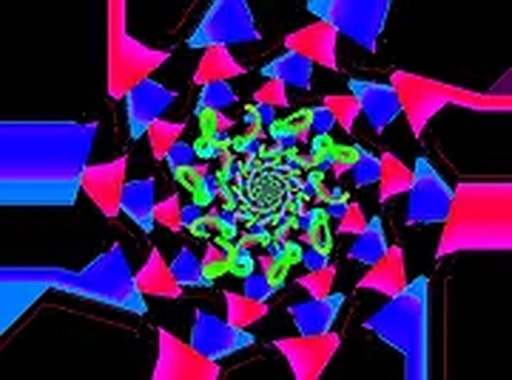
This tool captures every flick and sweep of your mouse cursor. As you click and drag across the screen, vibrant lines emerge and twist in real time. The faster you move, the more the shapes stretch and curve, creating a living composition that never looks the same twice. Slower motions produce thicker, more deliberate strokes. This direct connection between hand movement and visual output makes each session feel personal and responsive.
No Pressure, Just Play
There are no scores, timers, or objectives here. The entire experience is built around the act of making marks on a digital canvas. You can start and stop at any moment, erase your work, or let the lines accumulate into a dense, layered piece. This freedom makes it suitable for quick breaks or longer, meditative sessions. The interface stays out of your way, with minimal buttons and a clean layout.
Built for Desktop Browsers
Because the tool runs directly in a web browser, there is nothing to install or update. It works on most modern desktop systems using a standard mouse. A full-screen option is available to remove distractions and give you more room to draw. The tool is optimized for mouse input, so touchscreens or trackpads may not provide the same level of control.
Endless Visual Variety
By changing the speed and direction of your cursor, you can produce an infinite range of patterns. Circles, spirals, zigzags, and freeform scribbles all appear depending on how you move. The colors shift automatically, adding to the sense of surprise. This variety encourages experimentation: try drawing the same shape at different speeds to see how the output changes.
A Tool for All Ages
The simple controls and lack of rules make this tool accessible to children, adults, and anyone curious about digital art. No prior drawing experience is needed. Families can take turns creating pieces, or individuals can use it as a way to unwind after a busy day. The focus remains on the process of creation, not on producing a perfect final image.








Reader Comments
Sign in to comment
You must be logged in before posting a review or rating.
No account? Create one
No comments yet. Be the first to comment!