
Coastal Art Studio for Young Creators
Review
This game offers a genuinely relaxing coloring experience with a focus on creativity over competition. The beach-themed images are charming and varied, providing plenty of inspiration. The interface is clean and easy to navigate, even for young children. The ability to save and share artwork adds a nice sense of accomplishment. It is a safe, ad-free environment that parents can trust.
Full story
Getting Started with Coloring
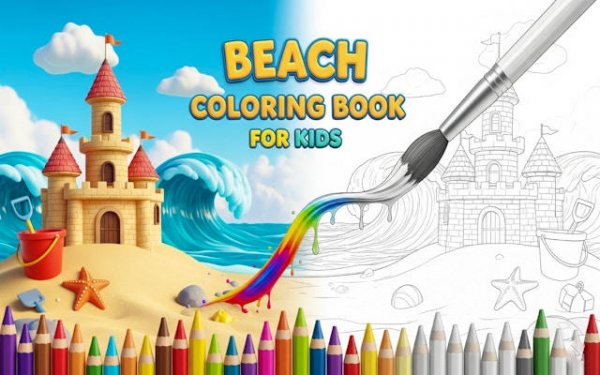
Upon loading the game, you are presented with a gallery of outlined pictures featuring coastal elements. Select any image that catches your eye, such as a sandcastle or a starfish. The interface is designed for simplicity, allowing you to pick a color from a side palette and apply it to the desired area with a single click or tap. Brush sizes can be adjusted for broad coverage or fine details. Special finishes like glitter and patterns are available to add extra flair. There are no rules to follow, so you can color freely. If you make a mistake, an undo option lets you revert changes. Once satisfied, you can save your creation to your device or begin a new page. The straightforward design ensures even young children can participate without assistance.
Artistic Tools and Options
The game provides a comprehensive color palette with numerous shades, from bright yellows to deep blues. Beyond basic colors, you can apply special effects such as glitter or patterned fills to make your artwork stand out. Brush sizes range from small for precise work to large for covering bigger sections quickly. These tools give you control over the final look of your image. The palette is easy to navigate, and switching between tools is seamless. This variety encourages experimentation without overwhelming the user. Whether you prefer a realistic look or a vibrant fantasy scene, the options support your vision.
Relaxation and Focus Benefits
This activity is designed to promote a calm and focused state of mind. Without timers, scores, or competitive elements, you can work at your own pace. The repetitive motion of selecting and applying colors can be soothing, similar to traditional coloring books. Many find this type of engagement helpful for reducing stress and improving concentration. The beach-themed images add to the serene atmosphere, evoking feelings of a peaceful day by the water. This makes the game suitable for quiet time, breaks, or winding down before bed. The lack of pressure allows for a truly relaxing experience.
Family-Friendly and Accessible Design
The game is built with a family audience in mind. There are no advertisements, in-app purchases, or external links, ensuring a safe environment for children. The interface uses large buttons and clear icons, making it accessible to users with limited reading skills. The content is appropriate for all ages, with no violent or mature themes. Because the game is free to play, there are no barriers to entry. New coloring pages are added periodically, providing fresh content for returning players. This commitment to safety and accessibility makes it a reliable choice for parents and educators looking for constructive screen time.








Reader Comments
Sign in to comment
You must be logged in before posting a review or rating.
No account? Create one
No comments yet. Be the first to comment!